How to Scrape Any Website into an AI-Powered Knowledge Vault in Under an Hour
Introduction: The Power of a Website Brain
Imagine having a complete, searchable, interlinked copy of your entire website. every page, every image, every component, every brand asset. stored locally in a format that any AI agent can understand, reference, and work with. Now imagine building that in under an hour with just two prompts.
That's exactly what a live workshop demonstrated in the video "Build a Website Second Brain with Claude Code & Obsidian". a session that walked through the entire process of creating what the presenter calls a "website brain": a fully scraped, Obsidian-powered knowledge vault of a live website, complete with screenshots, markdown content, brand assets, SVGs, and a rich interlinking structure that mirrors the original site's architecture.
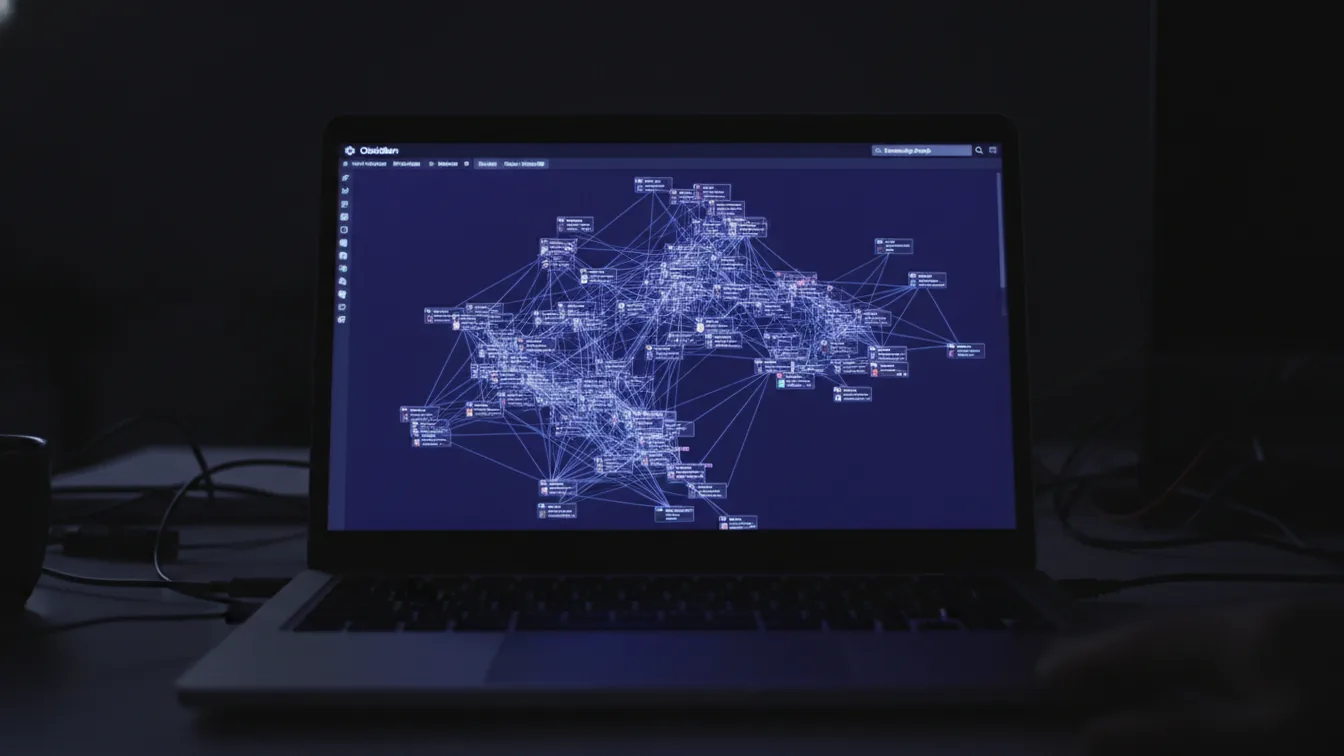
The result? A visual graph of interconnected nodes representing every page, blog post, and asset on the site. what the presenter describes as a "super sexy brain" operating on all cylinders, as opposed to an "ADHD brain" of disconnected files.
This article breaks down the entire concept, methodology, and practical workflow demonstrated in that session.
The Second Brain Concept
What Is a "Second Brain"?
The "second brain" concept, popularized by productivity thinkers and extended into the AI era by practitioners like Nick Milo (creator of the Linking Your Thinking methodology), is the idea of creating an external, digital knowledge management system that complements your biological brain. It's a place where you store, organize, and interlink your thoughts, notes, and information in a way that makes them retrievable and useful over time.
In the context of AI agents, a "brain" takes on a new dimension. It's not just a personal knowledge base. it's a structured, machine-readable repository that AI agents can use as context, reference material, and a source of truth for generating content, making decisions, and executing tasks.
Why "Brains" Matter for AI Agents
The presenter makes a compelling case: the quality of your AI agent's output is directly proportional to the quality of the context you give it. A "brain". a well-organized, interlinked vault of relevant information. is what separates generic, mediocre AI output from targeted, brand-consistent, high-quality results.
Key principles of the brain concept:
- Interlinking is everything: A brain where all nodes are connected (like a well-structured website) is far more powerful than a collection of isolated files. The presenter compares a disorganized vault to an "ADHD brain" versus a fully interconnected one that's "operating on all cylinders."
- Markdown is the universal language: AI agents thrive on markdown. It's clean, structured, and universally parseable. Obsidian stores everything in plain markdown files, making it the ideal format for AI consumption.
- Any model can use it: Once you have a brain built in Obsidian, you can share it with any AI model. Claude, Codex, Gemini, MiniMax, or any future model. The markdown format is model-agnostic.
- Build now, grow later: The presenter emphasizes that brains are living systems. You start with a foundation and continuously expand on top of it.
Types of Brains
The workshop references several types of brains that can be built:
- Marketing Brain: A thorough marketing knowledge base
- Website Brain: A full scrape of a website's content, design, and structure (the focus of this session)
- Social Media Brain: For social media content strategy (mentioned as "coming soon")
- Video Generation Brain: A brain focused on character art, concept art, and video generation best practices
- Sales Brain, Accounting Brain, or any domain-specific knowledge base
Obsidian Vault Setup
Why Obsidian?
Obsidian is the tool of choice for building brains, and for good reason:
- Plain text markdown files: Everything is stored as
.mdfiles on your local machine. No proprietary formats, no lock-in. - Graph view: Obsidian's visual graph shows how all your notes are interlinked, providing a visual representation of your knowledge structure.
- Rich media support: Obsidian can display images, SVGs, GIFs, videos, and embedded content directly within notes.
- Local-first: All data stays on your computer, giving you full control and privacy.
- AI-friendly: Since everything is markdown, AI agents can easily read, write, and modify the files.
- Plugin ecosystem: Extensible with community plugins for additional functionality.
The Vault Structure
For the website brain demo, the vault structure was created automatically by Claude Code and includes:
- README.md: An overview and index of the vault
- Codex.md: Instructions for AI agents on how to use the vault
- Page notes: Individual markdown files for each page of the website, containing:
- Clean markdown content (headings, text, FAQ sections)
- Screenshots of the page
- Summary and metadata
- Internal links to related pages
- Brand assets folder: Logos, icons, brand images, OG images
- Images folder: All images from the website (PNGs, SVGs, GIFs)
- Blog folder: Blog posts with cover images and content
- Components folder: Reusable design components (CTAs, buttons, etc.)
Setting Up the Vault
The setup process is straightforward:
- Create a new folder for your vault (e.g., "MinneapolisMade-Website-Brain")
- Open the folder in Obsidian as a new vault
- Open the same folder in Claude Code (or your preferred AI coding agent)
- Let Claude do the heavy lifting. with the right skills installed, Claude will structure and populate the vault automatically
Claude Code Integration
The Two Key Skills
The workshop relies on two Claude Code skills working in tandem:
- Claude Obsidian Skill: Handles the Obsidian-specific operations. creating properly formatted markdown notes, managing links, organizing the vault structure, and ensuring everything follows Obsidian best practices.
- Brainstein Skill: A more thorough orchestration skill (part of the AI Marketing Hub ecosystem) that manages the overall brain-building process, including multi-agent workflows, research, and content organization.
Together, these skills transform Claude Code from a simple coding assistant into a brain-building orchestration system.
Plan Mode: The Secret Weapon
One of the most important workflow tips from the session is the use of Plan Mode in Claude Code:
- Before executing, Claude enters plan mode to think through the entire approach
- It asks clarifying questions (e.g., "Which engine should capture the site?")
- It creates a structured plan before writing any code or files
- The presenter recommends using the most capable model available for plan mode (e.g., Claude Max) since planning quality directly impacts execution quality
The Prompt
The entire website brain was created with a remarkably simple prompt:
> "Create the perfect template for a website crawler that will crawl all text from a website. images, video embeddings, even full-page screenshots. well set and organized with all the relevant data and info, and create for us an Obsidian vault of the current website."
That's it. Two prompts total:
- The initial mission prompt (above)
- The target website URL
Everything else. the scraping, organizing, file creation, linking. was handled autonomously by Claude Code using the two skills.
Multi-Agent Wizard
For the actual execution, the presenter instructs Claude to use multi-agent parallel execution with the multi-agent wizard approach. This means:
- Claude spawns multiple sub-agents to work in parallel
- One agent might handle image scraping while another handles text extraction
- Another agent might focus on brand asset identification
- All agents work simultaneously, dramatically reducing the total time
API Key Management
The workshop demonstrates a best practice for managing API keys with AI agents:
- Create a
.envfile in your project folder - Store API keys in the format
SERVICE_NAME=your_key_here - Reference the
.envfile path in your prompt - The agent reads the key securely from the local file
This approach keeps API keys:
- Local: Never shared in chat or stored in the cloud
- Reusable: The same
.envfile can be referenced across multiple sessions - Extensible: Add more keys over time (DataForSEO, Firecrawl, etc.)
- Agent-friendly: Claude knows exactly where to find them
Website Generation from Notes
The Firecrawl Engine
The scraping engine powering the website brain is Firecrawl (firecrawl.dev), chosen for its:
- Speed: Scrapes and returns results in 15-20 seconds
- Rich output: Provides markdown content, full-page screenshots, HTML, brand assets, and component identification
- Free tier: 1,000 API credits free
- Ease of use: Simple API that integrates directly with Claude Code
Firecrawl can extract:
- Full page markdown content
- Full-page screenshots
- Brand logos and icons
- Brand colors and typography
- Individual page components (CTAs, buttons, forms)
- Video and map embeds
- Internal link graphs
- Metadata (title, author, FAQ sections)
The Scraping Process
Here's what happens when the website brain is being built:
- Claude sends the website URL to Firecrawl
- Firecrawl crawls the entire site. every landing page, pillar page, blog post, legal page, and asset
- Content is organized into clean markdown files, one per page
- Images are downloaded and stored in organized folders (PNGs, SVGs, GIFs, blog covers)
- Screenshots are captured for every page
- Brand assets are extracted (logos, icons, color palette, typography)
- Internal links are mapped and converted to Obsidian wiki-links
- A graph structure emerges showing how everything interconnects
In the demo, a 63-page website was fully scraped. with all content, images, components, and structure. in approximately 45 minutes to one hour.
The Result: A Living Website Mirror
The finished website brain is not just a bookmark dump. It's a complete offline, searchable capture of the entire website that includes:
- Every page as a clean markdown note
- Every brand-relevant image (logos, heroes, photos, graphics, icons, trust marks)
- CTA information and usable crops
- Video and map embeds
- The internal link graph
- The design DNA: color palette, typography, logo set
This means any future AI agent working on the website has instant access to:
- The exact brand colors for image generation
- The existing component library for design consistency
- The full content context for SEO optimization
- The site structure for navigation and UX improvements
- The visual style for maintaining brand consistency
Practical Workflows
Workflow 1: Content Generation with Brand Consistency
With a website brain in place, you can prompt any AI agent:
> "Generate a LinkedIn post about our latest blog post, including an image in the same style as our website. Check the Obsidian vault for reference."
The agent will:
- Read the website brain to understand the brand voice and visual style
- Reference the latest blog post content
- Generate on-brand text and images
- Include proper internal links
Workflow 2: Automated Page Updates
For websites with hundreds or thousands of pages, the presenter envisions an automated update workflow:
> "Create a scheduled task to update one page per day, starting from the oldest. For each page, run Claude-SEO review, then run design and update."
This creates a systematic, automated approach to keeping an entire website fresh. something Google rewards with better rankings.
Workflow 3: Design Bible Creation
One of the most powerful workflows demonstrated is the Design Bible concept:
- Scrape the entire website into a brain
- Ask Claude to analyze the design language: "Tell me what doesn't fit our design language"
- Identify inconsistencies: Claude finds pages designed differently from the standard
- Create a design bible: A reference document defining the unified design rules
- Apply going forward: Every new page or component must follow the design bible
This ensures brand consistency across the entire website without manually reviewing every page.
Workflow 4: Overnight Redesign Concepts
The presenter shares a creative workflow using the "goal" feature:
> "While I sleep, use the brain we built. it's got all the information, all the data, and access to the source code. Come up with ways to make this website better from a graphic design and UX perspective. Generate concept art and images showing what we could do."
The AI works overnight, and you wake up to a batch of design concepts and improvement suggestions. all grounded in the actual website's content and design language.
Workflow 5: Multi-Agent Image Generation
The workshop demonstrates using Codex (OpenAI's coding agent) alongside the Obsidian vault:
- Open the same Obsidian vault in a Codex session
- Prompt: "Generate 10 images for a LinkedIn post in the same style as minneapolismade.com"
- Codex uses the vault as a visual reference
- Multiple agents work in parallel to generate images in bulk
- Results are saved to a designated output folder
Workflow 6: Legal and Compliance Audits
Another use case demonstrated:
> "Perform a full legal audit of this medical product website. Check if all required chemical mentions and disclaimers are present."
With the entire website content in markdown format, Claude can systematically review every page for compliance issues. something that would take humans hours of manual review.
Workflow 7: SEO and Content Audits
Combining the website brain with SEO skills:
- Scrape the website into the brain
- Run Claude-SEO on the vault to analyze keyword usage, content gaps, and optimization opportunities
- Check for keyword cannibalization across pages
- Identify outdated content that needs refreshing
- Generate an improvement plan based on the full site context
Nick Milo's Methodology and the LYT Framework
While the workshop is primarily a technical demonstration, the underlying philosophy draws heavily from Nick Milo's Linking Your Thinking (LYT) framework and his approach to knowledge management.
Core Principles at Work
The website brain doesn't rely on a rigid folder hierarchy. Instead, it uses links and tags to create a flexible, emergent structure. Each page note links to related pages, creating a web of knowledge that mirrors the actual website structure.
2. MOCs (Maps of Content) The README and Codex files in the vault serve as MOCs. overview notes that provide entry points and context for the entire brain. They help both humans and AI agents understand the structure and purpose of the vault.
3. Progressive Summarization The scraped content is organized with summaries at the top of each note, followed by detailed content. This allows AI agents to quickly understand a page's purpose without reading the entire thing.
4. Interlinking as Thinking The presenter's emphasis on interlinking. and his excitement about Christopher's "beautiful interlinking". reflects Nick Milo's core belief that the connections between notes are as important as the notes themselves. A well-interlinked brain enables emergent insights and makes the whole greater than the sum of its parts.
5. Building Thinking Machines Nick Milo has spoken about creating "thinking machines". systems where your notes work for you. The website brain takes this to its logical conclusion: it's not just a thinking machine for personal knowledge, but a doing machine that enables AI agents to execute real work (content generation, design, auditing, SEO) with full context.
The ADHD Brain vs. The Sexy Brain
One of the most memorable moments in the workshop is the presenter's comparison of two vaults:
- ADHD Brain: Files scattered sporadically, no clear connections, disorganized. This is what most people's knowledge management looks like. and it's what most AI agents have to work with.
- Sexy Brain: Everything interconnected, operating on all cylinders, a visual graph showing dense, meaningful connections. This is what a well-built website brain looks like.
This distinction maps directly to Nick Milo's teaching about the difference between a collection of notes and a true second brain. one where the structure itself enables new thinking.
From Personal Knowledge to Organizational Intelligence
Nick Milo's framework was originally designed for personal knowledge management. The website brain concept extends this into organizational and client-facing intelligence:
- The brain becomes a shared resource that any team member or AI agent can use
- It captures institutional knowledge (brand guidelines, design systems, content strategy) in a living, accessible format
- It enables continuity. new team members or AI agents can get up to speed instantly by exploring the brain
The Bigger Picture: Brains as the Future of AI Agents
Why This Matters Now
The presenter makes a bold claim: "Brains are the future of your AI agents." Here's why:
- Context is everything: AI models are incredibly capable, but they're only as good as the context they receive. A well-built brain provides rich, structured, relevant context.
- Models are commoditizing: As AI models become more similar in capability, the differentiator becomes the quality of your context and workflows. not which model you use.
- Compounding returns: A brain gets more valuable over time. Every new piece of information added makes the entire system smarter and more useful.
- Model independence: Because brains are built in plain markdown, you're never locked into a specific AI model. Switch from Claude to Gemini to the next big thing. your brain works with all of them.
The Strategy: Build, Then Layer
The presenter's recommended strategy for anyone building AI-powered workflows:
- First: Scrape the entire website into a brain (the foundation)
- Then: Run Claude-SEO on top of it (optimization layer)
- Then: Run marketing planning (strategy layer)
- Then: Add social media generation (distribution layer)
- Continue: Add more skills and capabilities over time
Each layer builds on the previous one, creating an increasingly powerful and thorough system.
The Compounding Effect
The presenter notes that with the addition of the website brain skill alone, "most of our projects became basically two times stronger." When you combine:
- Website brain (full site context)
- Marketing brain (marketing strategy and data)
- Social Media brain (content distribution)
- SEO skills (optimization)
- Design capabilities (visual consistency)
...you create a compounding system where each component makes all the others more effective.
Getting Started: Your Action Plan
Prerequisites
To build your own website brain, you'll need:
- Claude Code (or a similar AI coding agent like Codex)
- Obsidian (free, available for all platforms)
- Firecrawl account (free tier with 1,000 credits)
- Claude Obsidian skill and Brainstein skill installed in Claude Code
- VS Code (or your preferred IDE that supports Claude Code)
Step-by-Step
- Create a new folder for your website brain
- Open the folder in Obsidian as a new vault
- Open the folder in Claude Code
- Create a
.envfile with your Firecrawl API key - Enter Plan Mode and provide your mission prompt
- Include your target website URL
- Let Claude plan and execute. this may take 30-60 minutes for a full site
- Review the results in Obsidian's graph view
- Start using the brain for content generation, auditing, and optimization
Pro Tips from the Session
- Use voice-to-text for prompting to save time
- Use the best model available for planning (quality of plan = quality of execution)
- Run both Firecrawl and DataForSEO for thorough coverage (Firecrawl for speed and visuals, DataForSEO for SEO-specific data)
- Be careful with automated updates. Google can flag automated content changes
- Update existing pages before creating new ones. Google values fresh, well-structured content
- Combine multiple skills (Claude-SEO + Claude-Blog + Website Brain) for maximum power
Conclusion
The "Build a Website Second Brain" workshop demonstrates something profound: the combination of AI agents, structured knowledge management, and automated workflows creates a system greater than the sum of its parts.
By scraping an entire website into an Obsidian vault. with all its content, images, design assets, and interlinking structure. you create a "brain" that any AI agent can use as a source of truth. This brain enables brand-consistent content generation, systematic SEO optimization, design bible creation, legal compliance auditing, and much more.
The key insight is that building the brain is the hard part. but it only needs to be done once. After that, every AI interaction benefits from the full context of your website, your brand, and your content strategy. And as you add more layers (SEO, marketing, social media), the system becomes exponentially more powerful.
In the words of the presenter: "Brains for the win, guys. Really."
Source: "Build a Website Second Brain with Claude Code & Obsidian". Agrici Daniel and Avalon Reset (13,940 views, 8,961 words)