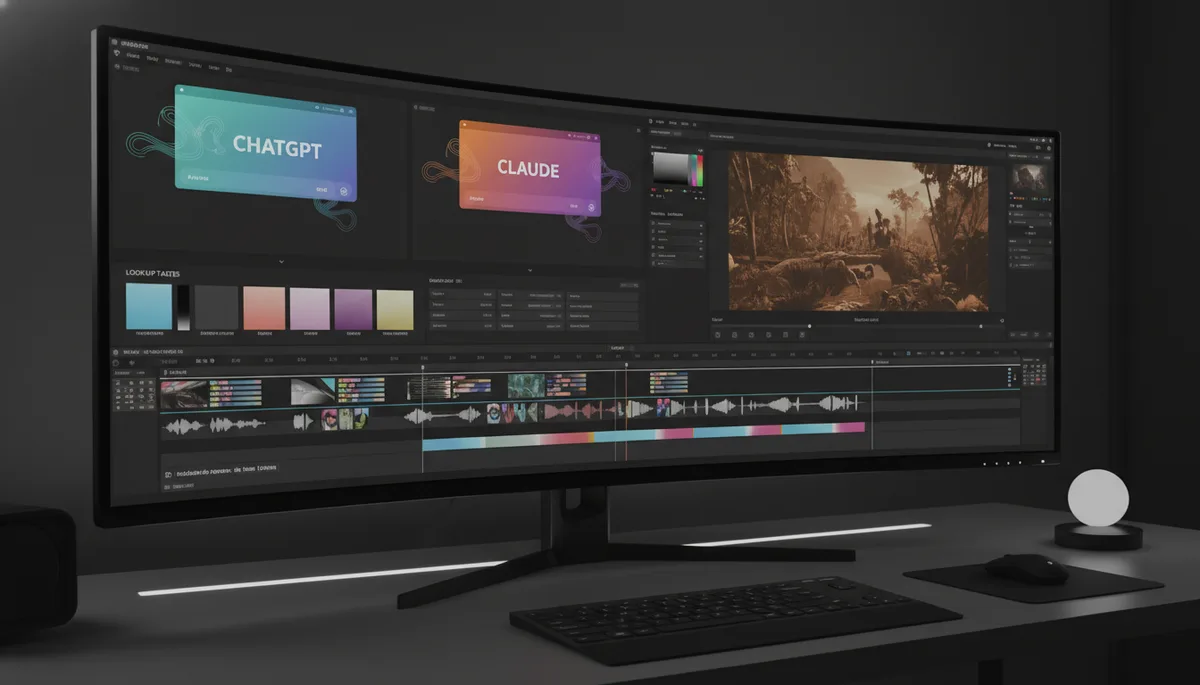
Most YouTube creators and small business video producers are paying somewhere between $150 and $250 a month for a stack of tools they only partially understand. Adobe After Effects at $55 a month for countdown animations you use twice a year. LUT packs at $80 for a color grade you got tired of after three videos. Sound effect libraries, storyboard software, motion templates -- it adds up fast and most of it sits unused. The alternative is not a cheaper paid tier. The alternative is already available, costs nothing, and most people doing video have not found it yet.
Everything described in this article runs on the free plans of ChatGPT and Claude. No subscriptions, no trials, no workarounds.
The $200/Month Stack You Are Probably Running
Before getting into the replacements, it helps to name the actual costs. A typical mid-level creator stack includes a video editing subscription (Premiere Pro or DaVinci Resolve Studio), After Effects or a motion template service for animated graphics, a LUT pack or color grading subscription for professional looks, a sound effects library, and some kind of storyboard or pre-production tool. Even being conservative, that is real money every month for assets that are fundamentally just files -- a .CUBE file, a motion graphics template, a WAV audio clip. The insight that unlocks everything is this: AI can generate those files from a text description. The pipeline changes completely once you see it that way.
| Tool | Old Cost | AI Replacement | How |
|---|---|---|---|
| Adobe After Effects | $55/mo | ChatGPT / Claude code generation | Ask for JS/CSS animation code; render in browser or export via canvas |
| Professional LUT packs | $20-200 | Claude .CUBE file generation | Describe the grade in plain English; Claude outputs a complete .CUBE file to drop into Premiere or DaVinci |
| Sound effects library | $10-50/mo | AI SFX description + Freesound | Claude writes precise SFX descriptions; use them to search Freesound or generate directly |
| Freelance storyboard | $100-500 | ChatGPT image generation | Generate individual panels or full multi-panel spreads from a scene description |
LUTs From Claude: The Color Grading Unlock
A LUT -- lookup table -- is a small file that maps input color values to output color values. Every professional NLE supports them. Drop one into Premiere Pro, DaVinci Resolve, or Final Cut Pro and your footage takes on a specific grade instantly. The files themselves are plain text. A .CUBE file is a grid of numbers arranged in a specific format, and Claude can write that format from scratch based on a plain English description of the look you want.
A working prompt looks like this: "Create a soft professional orange and teal lookup table for talking head studio style videos, preserve natural skin tones, keep whites clean." Claude outputs a complete .CUBE file. You copy it, save it with a .cube extension, and drop it directly into your NLE's LUT folder. That is it. The whole workflow takes about two minutes, and you can generate as many variations as you want -- warmer, cooler, more cinematic, specific to outdoor footage -- without paying for a single preset pack. Want a warm film grade or a stark noir look? Describe it the same way. Claude writes the .CUBE and you drag it in.
"Claude outputs a complete .CUBE lookup table file from a plain English description. The file drops directly into Premiere, DaVinci, or Final Cut -- no preset pack required."
The quality of the output depends on the specificity of your prompt. Vague prompts produce generic grades. Specific prompts -- referencing the type of footage, the lighting setup, the intended mood, and what should be protected (skin tones, highlights) -- produce results that are usable without adjustment. For creators doing talking head content in consistent studio lighting, this alone is worth several hundred dollars a year.
Motion Graphics From Code: What Used to Require After Effects
Countdown timers, animated lower thirds, kinetic text -- these are the bread and butter of video production graphics, and they have historically required either After Effects expertise or an expensive template subscription. ChatGPT and Claude change the equation by generating the JavaScript or CSS animation code that produces the motion. You describe what you want in plain English: a five-second countdown from five to one with a circular progress indicator and a clean sans-serif font. The model writes the code. The resulting animation renders without you touching a timeline or keyframe.
This is not about approximating After Effects. It is about skipping the tool entirely. For creators who have been paying $55 a month for AE primarily for simple countdowns and text animations, AI-generated code handles those use cases on the free plan. The skill required is not motion design knowledge -- it is knowing how to describe what you want precisely enough that the model can execute it.
Sound Effects: Describe It, Get It
The sound effects use case is the one that surprises people most. Claude can generate SFX descriptions precise enough to drive a Freesound search directly, or you can prompt for direct audio generation for simple functional sounds. A cash register beep. A notification chime. A short whoosh for a transition. These are not complex cinematic sound design assets, and they are not going to replace a professional Foley artist. But for the category of simple, functional sound effects that creators use constantly and often either pay a library subscription for or spend time hunting through free sites -- Claude handles it in seconds. Describe the sound, get a working file or an exact search term that finds it immediately.
Storyboarding at Scale
Storyboard commissions from a competent freelancer run $100 to $500 for a short video project. That cost means most creators skip the storyboarding step entirely, which costs them in production efficiency later. ChatGPT's image generation closes that gap. You can generate individual panels or complete multi-panel storyboard spreads from a scene description. The output is not a final frame -- it is a planning document, a visual reference that keeps a shoot organized. At zero cost, it becomes practical to storyboard every project rather than winging it.
For small business owners producing their own video content, this is particularly significant. The storyboard barrier has historically meant either spending money on a freelancer or going into a shoot without a plan. Now the barrier is just writing a coherent scene description, which most people can do in five minutes.
"The new skill is not knowing which software to buy. It is knowing how to describe what you want with enough precision that the model can produce it."
The Skill Shift
What is actually happening across all four of these use cases is a collapse of the "paid tools" tier for a large portion of video production work. The tools that used to gate professional-quality assets -- After Effects, color grading suites, sound libraries -- charged for the expertise baked into them. Now that expertise is available through a conversation interface. The free plans of frontier models are capable enough to produce professional-quality assets for the majority of creator needs.
The new skill is not knowing which software to buy. It is knowing how to describe what you want with enough precision that the model can produce it. That is a different kind of technical competency -- less about clicking through menus and more about having a clear mental picture of the output and communicating it clearly. Creators who develop that prompting fluency will have a structural cost advantage over those who do not.
What Still Requires Paid Tools
Honesty matters here. Complex, bespoke motion graphics with custom physics, tight integration with brand systems, and professional delivery specifications still benefit from After Effects and a skilled operator. High-end color work -- especially in narrative film or commercial production where consistency across hundreds of shots and precise technical compliance matter -- still calls for DaVinci Resolve's paid features and a trained colorist. Audio design for music, dialogue editing, and sync sound is a professional discipline that free AI tools do not replace. The free stack described here addresses the high-frequency, low-complexity asset needs that consume disproportionate budget for most independent creators and small teams.
Getting Started Today
The single best first step is the LUT. Open Claude on the free plan, paste in this prompt: "Create a soft professional orange and teal lookup table for talking head studio style videos, preserve natural skin tones, keep whites clean. Output a complete .CUBE file." Copy the output into a text editor, save it as something like "studio-orange-teal.cube", and drop it into your NLE's LUT browser. Apply it to a piece of footage you have already shot. That fifteen-minute experiment will tell you more about the practical potential of this stack than anything else -- and it costs nothing to find out.